According to Statista, listening to audiobooks is surging and has been growing in popularity over the last few years, but can you listen to Audible on a plane?
The short answer is yes you can listen to Audible and other audiobooks on a plane, but make sure you download all the books that you will need before your flight in case the airline you are flying with does not offer a WiFi connection.
In this post, I will help you get a handle on everything you need to know so you can listen to Audible on airplanes, as well as how to listen to podcasts and audiobooks offline.
So, if you are new to Audible, don’t worry—we’ve got you covered.
Let’s dive right in.
TL;DR
- You can listen to Audible on a plane.
- You can download your audiobooks before your flight so you can listen to them without WiFi.
- You can also listen to your favorite downloaded books while your phone is in airplane mode.
- If your airline has inflight WiFi, then you may be able to download or access more audiobooks during your flight.
- It is better to download your books before the flight so you can listen without relying on inflight WiFi.

Important Info About Electronic Devices
Before we proceed to whether you can listen to audiobooks on planes, you will first need to know some of the rules about traveling with electronic devices, like phones, iPads, and computers.
We have already covered the rules for traveling with iPads, but generally, the rules are less strict when traveling with phones and tablets.
At U.S. TSA security checkpoints, you may need to remove electronics larger than a cell phone from your bag during standard screening.
You may need to keep your phone or tablet in airplane mode or disable cellular data during the flight.
Does Audible Work On Planes?

Yes, you can listen to Audible on a plane. If you have eligible audiobooks in your Audible library, you can download them to the Audible app before your flight and listen to them offline.
You can listen to your books on the Audible app for iOS and Android, or by visiting your library on the Audible website, but you need an internet connection to listen through the website.
This is a screen grab from X for the Audible support answering XO:
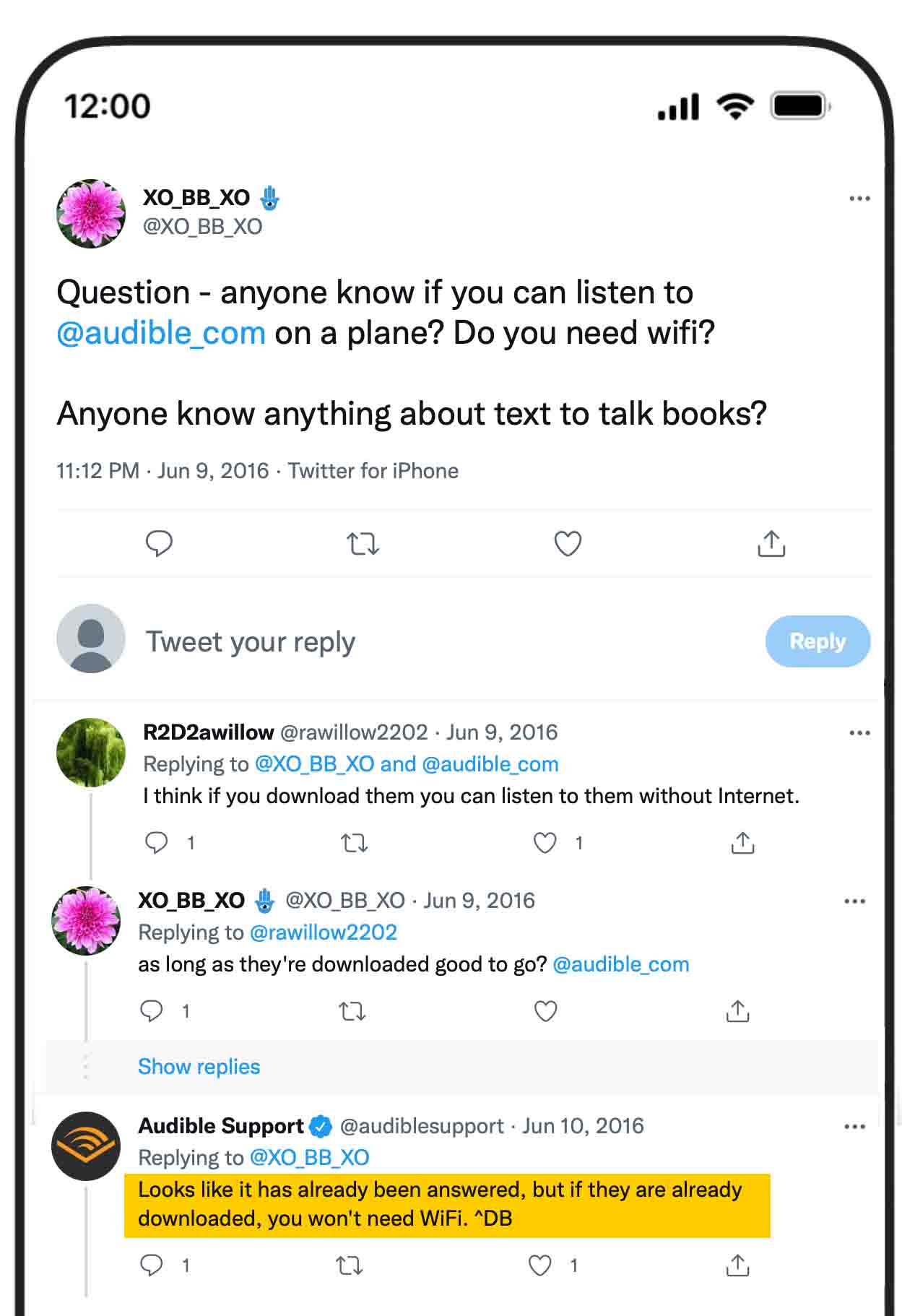
“If the books are already downloaded, she won’t need WiFi to listen to them”.
How To Download Audiobooks On Audible?
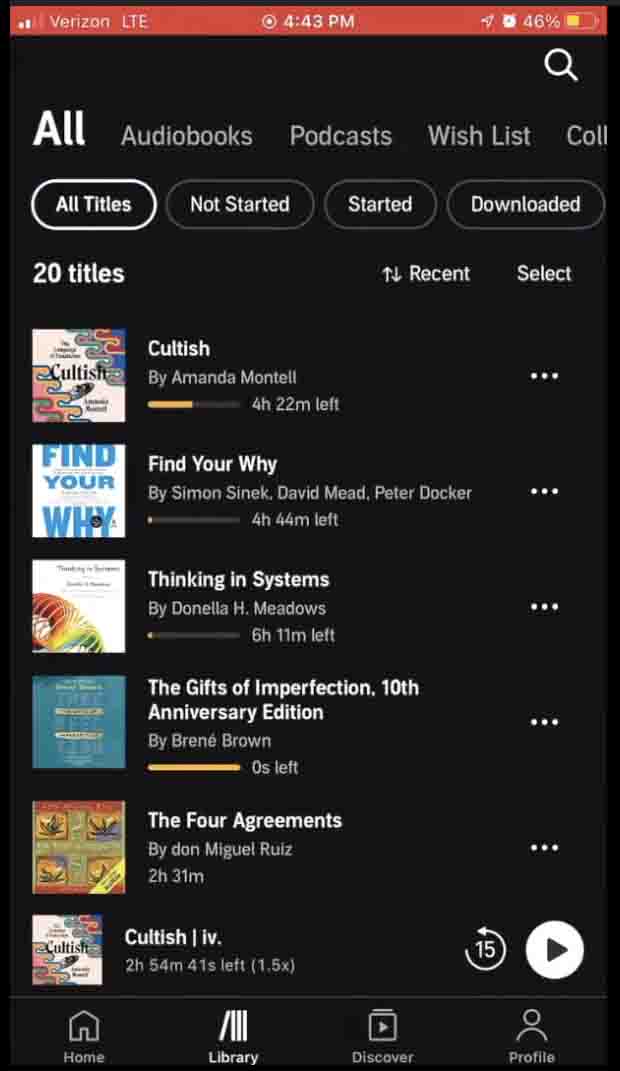
Once you have the Audible app on your phone or tablet, you can find titles in your library and download the ones you want to listen to offline.
Tap the download option for the title you want.
Once the download is complete, you can tap the title and start listening.
For audiobooks with multiple parts, tap the name of the title, and then you can choose the part you want to listen to.
You can also go to the library, where you can find all the books you downloaded.
If you already have plenty of books, in the library section, you can filter and find your book easily by recently downloaded, release date, length, title, and author.
Find more of the steps here.
Can I listen To Audible Without WiFi Or On Airplane Mode?
Yes, you can listen to Audible without WiFi, but you will need to download all your books before you go offline.
Most airlines do recommend placing phones on airplane mode during landing and takeoff.
Cellular data in general need to be disabled during the flight, while onboard WiFi can be used when the airline allows it.
Can You Listen To Audiobooks On Inflight Wifi?
Most major airlines nowadays have WiFi on their planes, even though sometimes it can be slow and not good enough to stream or listen to your favorite book.
If you can access WiFi on your flight, then you can easily surf the internet and also download more books.
If you really can’t fly without using WiFi, it is better to carefully select the airline you are flying with and ensure they offer good-quality WiFi.
Final Thoughts
You can listen to Audible on a plane without WiFi, but make sure that you download your audiobooks before heading to the airport.
Once your audiobooks are downloaded, you can listen to them without WiFi. Just keep your phone in airplane mode and follow your airline’s rules for using electronic devices during the flight.
If your flight has WiFi, then there is nothing to worry about as you may be able to access Audible or download additional titles, depending on the airline’s WiFi speed.
I hope this helps.
Happy travels.
FAQs on taking Alexa on a plane
Can I Use Alexa On A Plane?
Usually, no and it is recommended to keep switched off. Alexa needs an internet connection for most of its features, and you normally won’t have a suitable connection on a plane.
Can I Use Alexa Without Wi-Fi?
Not really. Most Alexa features need Wi-Fi and an internet connection to work. Some basic functions may still work, but you won’t be able to use Alexa normally without the internet.
Can I Use My Echo Dot In A Hotel?
Yes, you can use your Echo Dot in a hotel. You just need to connect it to the hotel’s Wi-Fi, if the network allows smart devices to connect.
Can I Connect Alexa To Hotel Wi-Fi?
Yes, you can usually connect Alexa to hotel Wi-Fi, but some hotel networks require you to sign in through a web page. In that case, connecting Alexa can be a little more difficult.
Does Echo Dot Have A Battery?
Most Echo Dot models don’t have a built-in battery, so you’ll need to plug them into a power outlet. If you want to use one while traveling, don’t forget to pack the power adapter.
Can I Bring An Echo Show On A Plane?
Yes, you can bring an Echo Show on a plane. You can pack it in your carry-on or checked luggage, but carry-on is usually better because you can protect it from being damaged.
Can I Bring Alexa Accessories On A Plane?
Yes, you can bring most Alexa accessories like the power adapter and charging cable on a plane. You can pack them in either your carry-on or checked luggage.
People also ask:
- Can I Bring a Kindle On An Airplane?
- Can you put a laptop in checked luggage?
- Can You Bring Books On A Plane?
- Can you take a VR headset on a plane?
- Can You Text On a Plane?
- Can I Listen To Spotify On a Plane?
- Do Airplanes Have Power Outlets?