
Checking in for a Hawaiian Airlines flight is easy once you know when check-in opens and which option works best.
Whether you wanted to checking in online through the Hawaiian Airlines website, using the Hawaiian Airlines app, or checking in at the airport, in this guide I walk you through every step so you can get your boarding pass in just a few minutes.
I will also answer any questions you have in mind about Hawaiian Airlines check-in, why its sometimes won’t work, when to arrive at the airport, and what to do if you can’t check in online.
Let’s find out how Hawaiian Airlines check-in works.
TL;DR
- You can check in online or through the Hawaiian Airlines app 24 hours before departure.
- Online and mobile check-in close 1 hour before departure.
- Check in using your last name and confirmation code (or e-ticket number).
- You can choose your seat, pay for checked bags (if applicable), and download your boarding pass during check-in.
- Arrive 2½ hours before flights between Hawaii and North America, 3 hours before international flights, and 90 minutes before Neighbor Island flights.
- If online check-in is not available, you can still check in at an airport kiosk or the Hawaiian Airlines ticket counter.
How Early Can You Check In for a Hawaiian Airlines Flight?
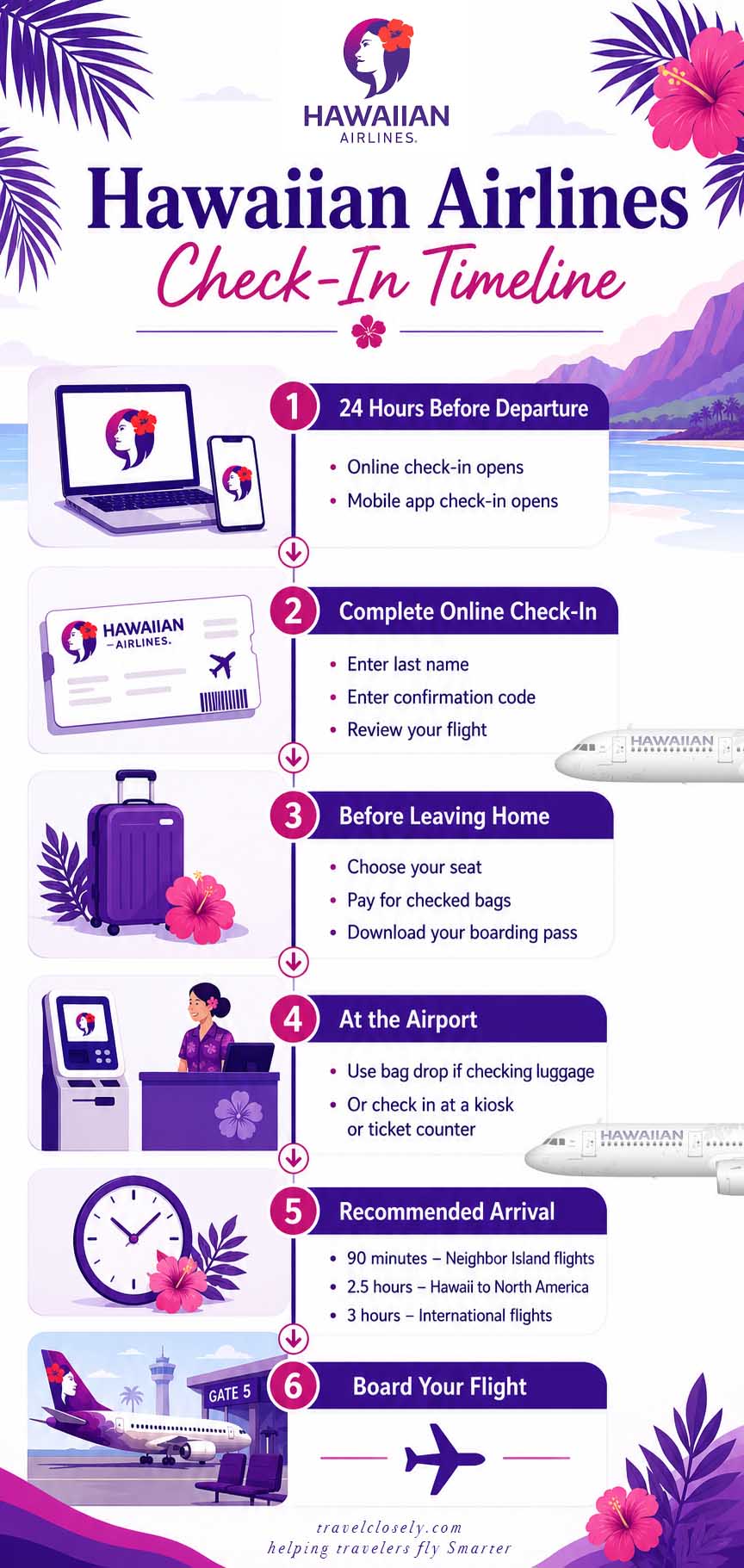
According to Hawaiian Airlines, online and mobile check-in opens 24 hours before your scheduled flight.
You can check in online until 60 minutes before flight departure.
If you have checked baggage, make sure that you show up to the airport early enough so you can have time to tag your bags and check in them.
How to Check In for Hawaiian Airlines: Online, App, and Airport
Hawaiian Airlines have many ways to check in and get your boarding pass:
- Via the Hawaiian Airlines website
- Hawaiian Airlines mobile app App Store / Google Play
- Self-service kiosk at the airport
- Hawaiian Airlines ticket counter
Checking in on the website and the mobile app is almost identical.
The biggest advantage of the app is that you can save your mobile boarding pass directly to your phone.
What you’ll need
Before start check in, have the following ready:
- Last name
- Confirmation code (6-character reservation code) or e-ticket number
1: Go to the Hawaiian Airlines check-in page
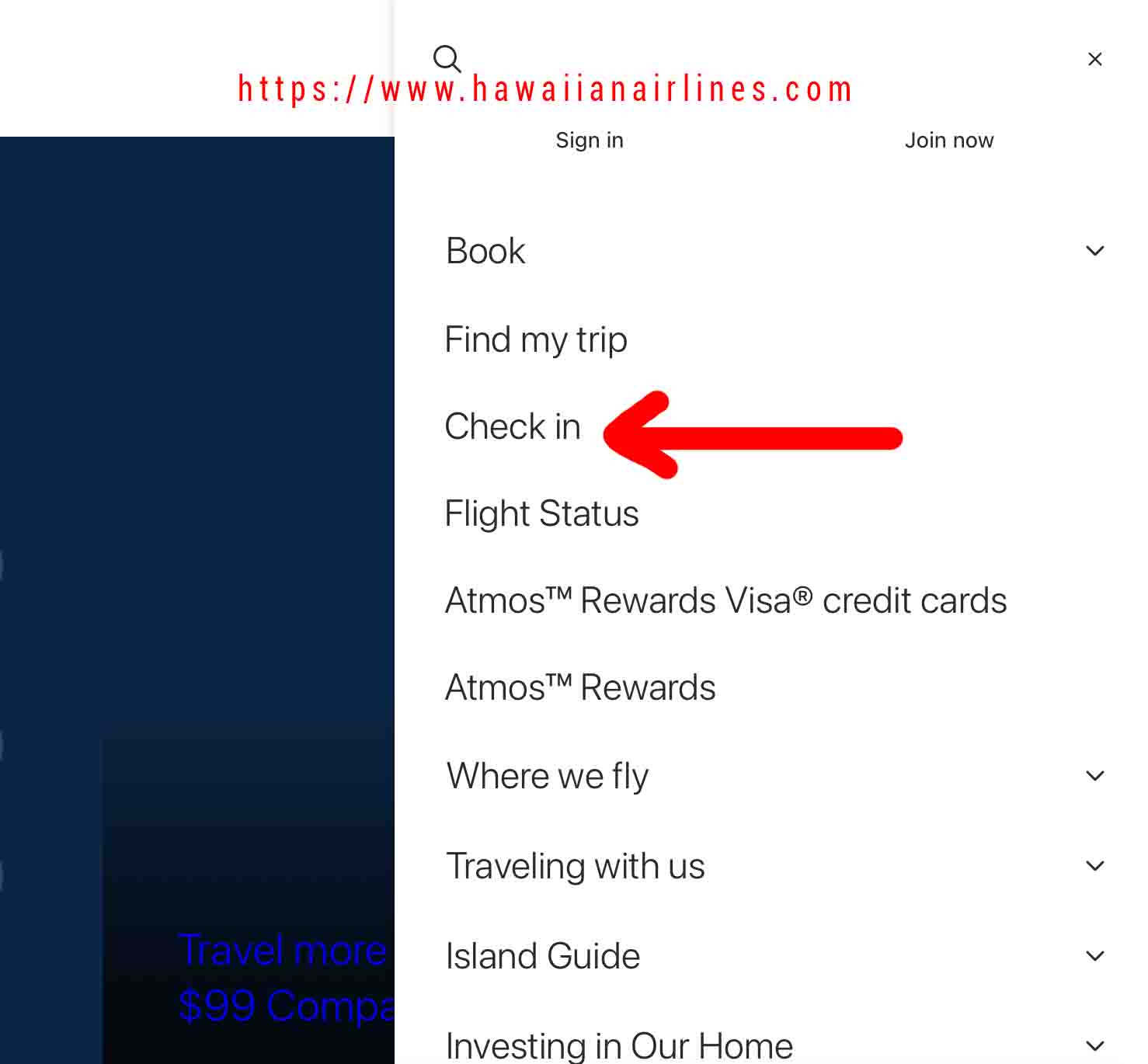
Go to the Hawaiian Airlines website or open the Hawaiian Airlines mobile app.
Select Check In from the menu.
2: Enter your reservation details
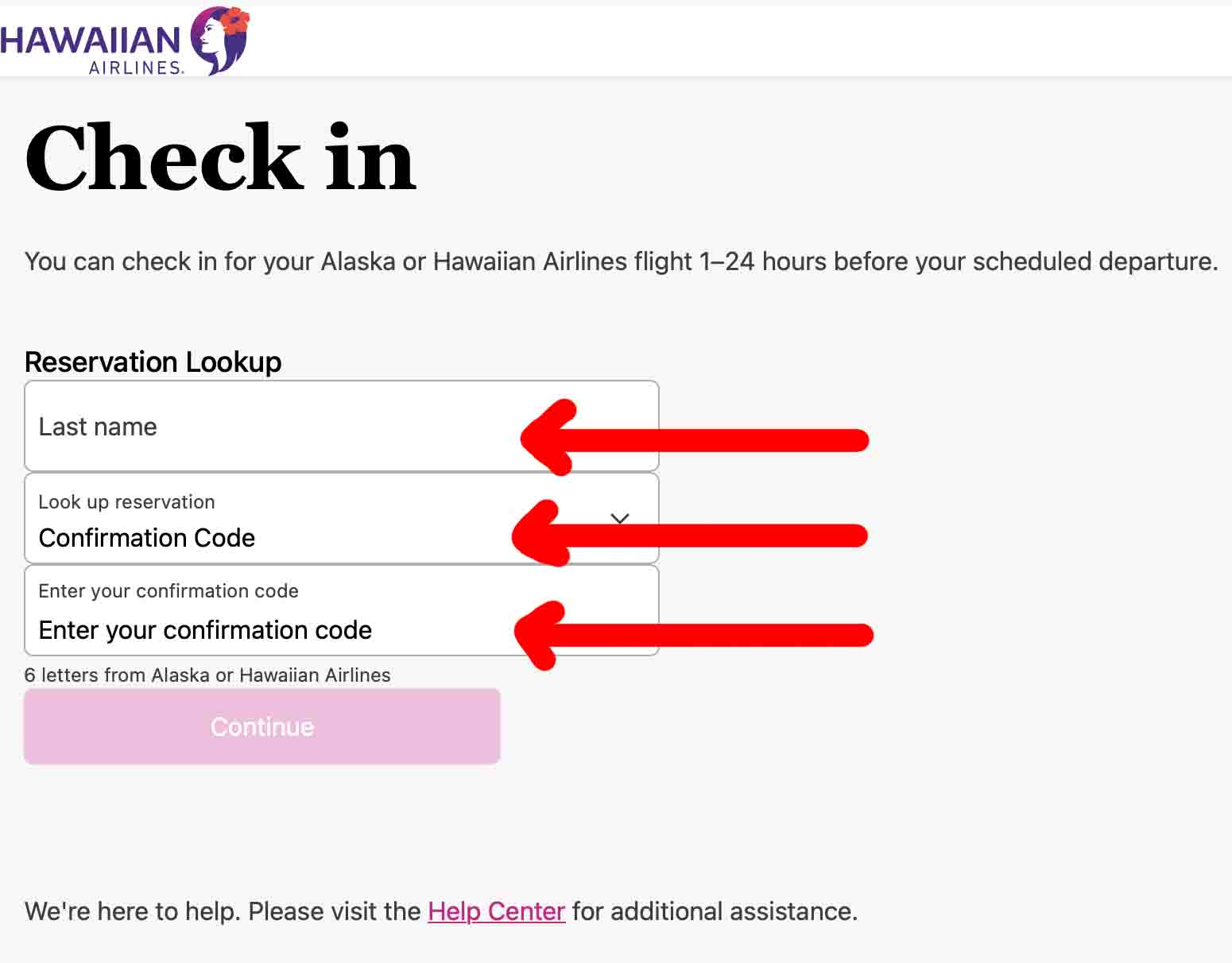
Enter:
- Your last name
- Your confirmation code or e-ticket number
Then select continue to retrieve your reservation.
3: Double check your flight
Confirm that your flight information is correct.
If multiple passengers are on the reservation, choose who will be checking in.
4: Choose or change your seat
If seat selection is available, you’ll be able to:
- Keep your current seat
- Change to another good seat
- Purchase an upgraded seat if offered
Available seating depends on your fare and seat availability.
5: Add checked bags
If you’re checking luggage, you can usually pay baggage fees during online check-in.
At the airport, simply print your bag tags at a kiosk and drop your luggage at the bag drop counter.
6: Get your boarding pass
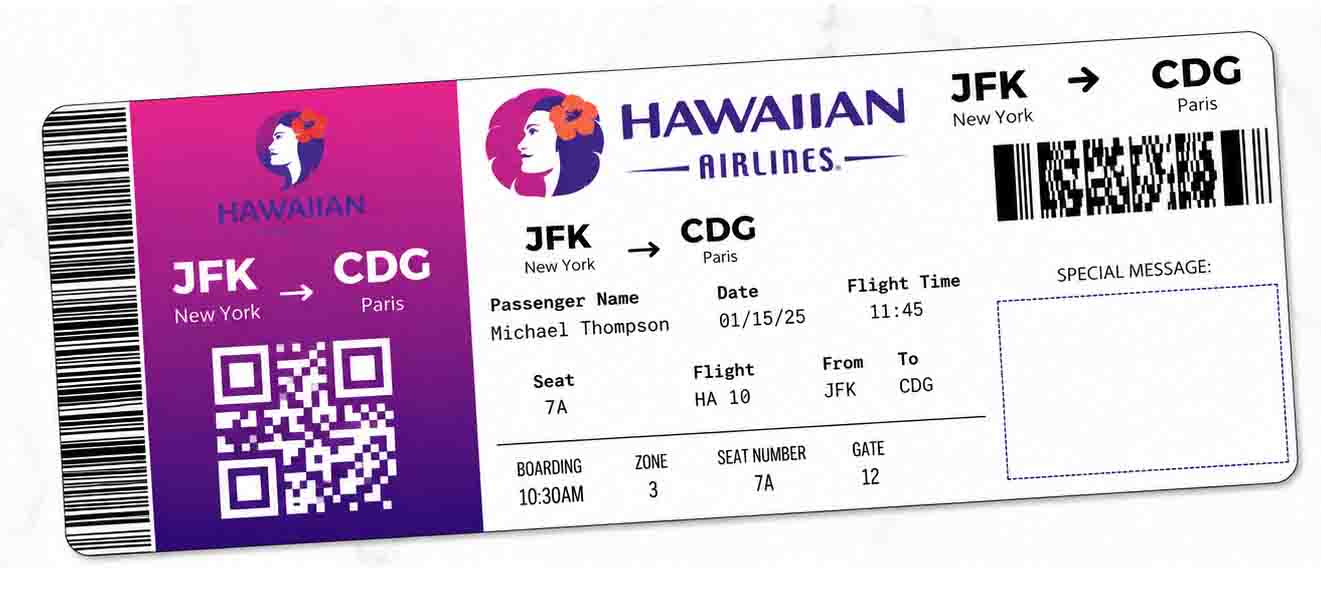
After completing check-in, you will receive your boarding pass.
You can:
- Save it to your phone
- Add it to Apple Wallet (iPhone)
- Print a paper boarding pass
- Retrieve it later from my trips in the app or website.
If you want to print your boarding pass, you can print it at an airport kiosk or ask an agent for assistance.
Airport check-in
If you don’t want to check in online, Hawaiian Airlines also offers in person check-in.
Self service kiosk
Most Hawaiian Airlines airports have self-service kiosks where you can:
- Check in
- Select or change seats
- Print your boarding passe
- Print bag tags
You’ll need your confirmation code, e-ticket number, HawaiianMiles number, or a credit / debit card to locate your reservation.
Ticket counter
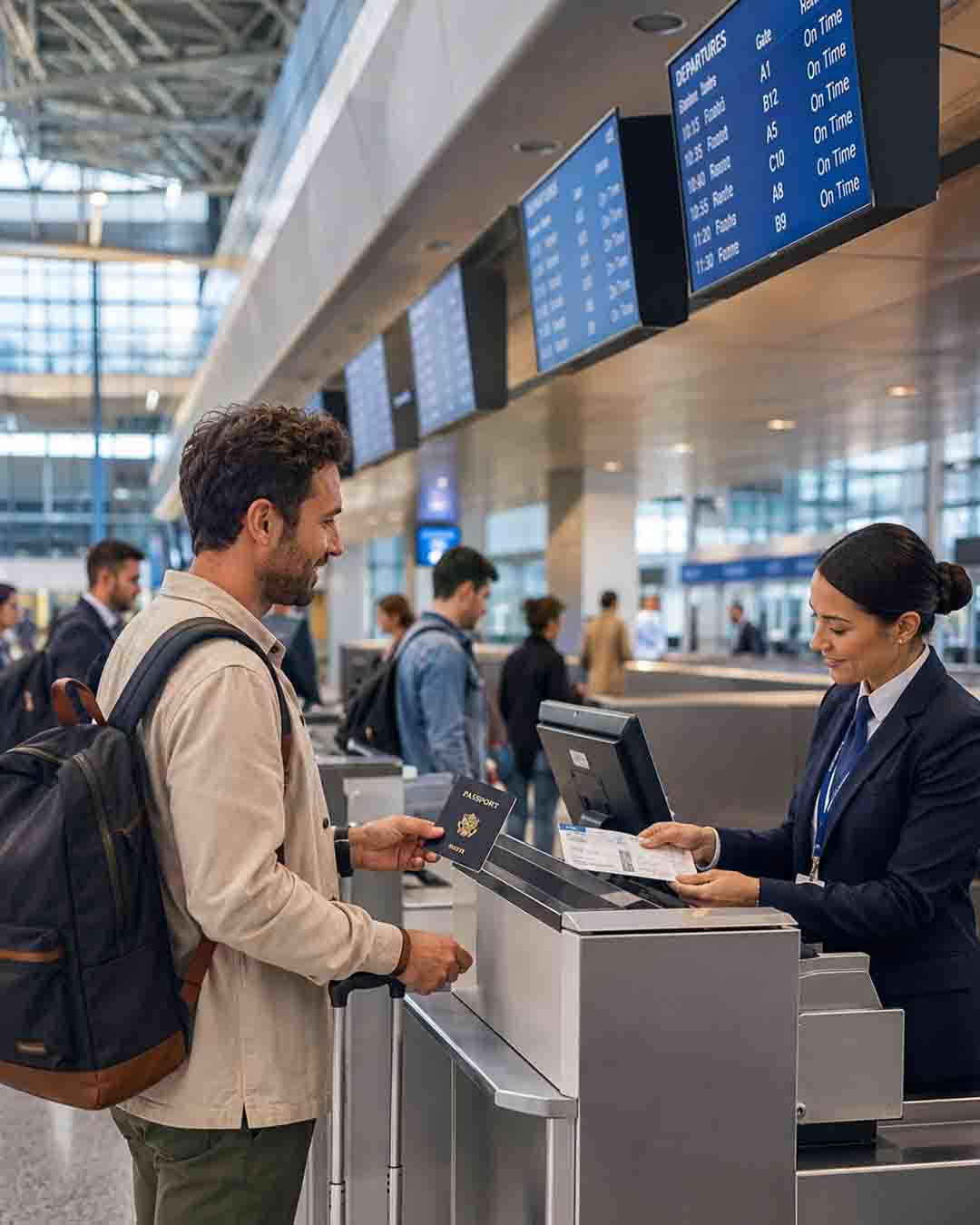
Airport agents can also help you:
- Check in
- Check bags
- Print boarding passes
- Handle reservations that cannot be processed online
Some international itineraries, special assistance requests, pets, or certain codeshare flights may require check-in with an airport agent.
Airport arrival times
Hawaiian Airlines recommends arriving:
- 2 hours 30 minutes before flights between Hawaii and North America
- 3 hours before international flights
- 1 hour 30 minutes before Neighbor Island flights
Remember that online check-in closes one hour before flight departure, and you will need to check in your baggage before the applicable airport cutoff.
Final Thoughts
Checking in online for your Hawaiian Airlines flight is the quickest and the best option.
It opens 24 hours before departure and only takes a few minutes to complete.
Simply visit the Hawaiian Airlines website or app, enter your reservation details, choose your seat if available, and download your boarding pass before heading to the airport.
If online check-in isn’t available for your reservation, don’t worry you can still check in at a self-service kiosk or the Hawaiian Airlines ticket counter.
I hope this helps.
Happy travels
Hawaiian Airlines Check-In FAQ
- When can you check in for Hawaiian Airlines?
Hawaiian Airlines opens online and mobile check-in 24 hours before departure. Online check-in closes 1 hour before your flight. - Can you check in for Hawaiian Airlines at the airport?
Yes. You can check in at a self-service kiosk or at the Hawaiian Airlines ticket counter if you prefer not to check in online. - Can you check in using the Hawaiian Airlines app?
Yes. The Hawaiian Airlines mobile app lets you check in, view your trip, choose seats when available, and save your mobile boarding pass. - What information do you need to check in?
You’ll need your last name along with your confirmation code or e-ticket number. - Do you need to print your boarding pass?
No. Hawaiian Airlines accepts mobile boarding passes, although printing a backup copy can be helpful if your phone battery dies. - Why can’t I check in online?
Some reservations can’t be checked in online, including certain international itineraries, codeshare flights, recently modified reservations, or trips that require document verification. In those cases, you’ll need to check in with an airport agent. - How early should you arrive at the airport?
Hawaiian Airlines recommends arriving 2 hours before flights between Hawaii and North America, 3 hours before international flights, and 90 minutes before Neighbor Island flights.
You might also like:
- How Strict is Hawaiian Airline Carry-on?
- Does Hawaiian Airlines Have TV In Its In Flight Entertainment?
- What Is Hawaiian Airlines Baggage Fees?