Traveling with Frontier Airlines? but you are not sure how to check in correctly to save your self the time of waiting at the airport and avoid unnecessary fees?
You can check in to Frontier Airlines online, through the mobile app, at airport kiosks, or at check-in counters. Online and mobile check-in opens 24 hours before your flight, while airport check-in opens 2 hours before domestic flights and 3 hours before international flights.
In this detailed guide I will cover every angle about checking in for a Frontier flight whether you like to do it online at the airport, so you’re fully prepared.
Let’s dive right in.
TL;DR
You can check in for a Frontier Airlines flight online, using the mobile app, at airport kiosks, or in person at the check-in counter.
Online and mobile check-in open 24 hours before departure and are the fastest and most convenient options.
Airport kiosks and counters usually open 2 hours before domestic flights and 3 hours before international flights.
Checking in online early lets you select seats, pay for bags at a lower price, and download your boarding pass before heading to the airport.
Always arrive early and complete the check-in on time to avoid long lines, extra fees, or miss your flight.
Check in online is always my favorite and is the fastest and most convenient ways, and works for most airlines not just Frontier.
You can do check-in from your computer or mobile device in almost less than 10 minutes, and get your boarding pass ready.
Here is how to check in online Frontier Airlines.
First visit the Frontier website or the mobile app
Go to the official website of Frontier Airlines on your computer or mobile browser.
If you prefer to use your phone, you can also open the Frontier Airlines mobile app, available on the App Store or the Google Play Store.
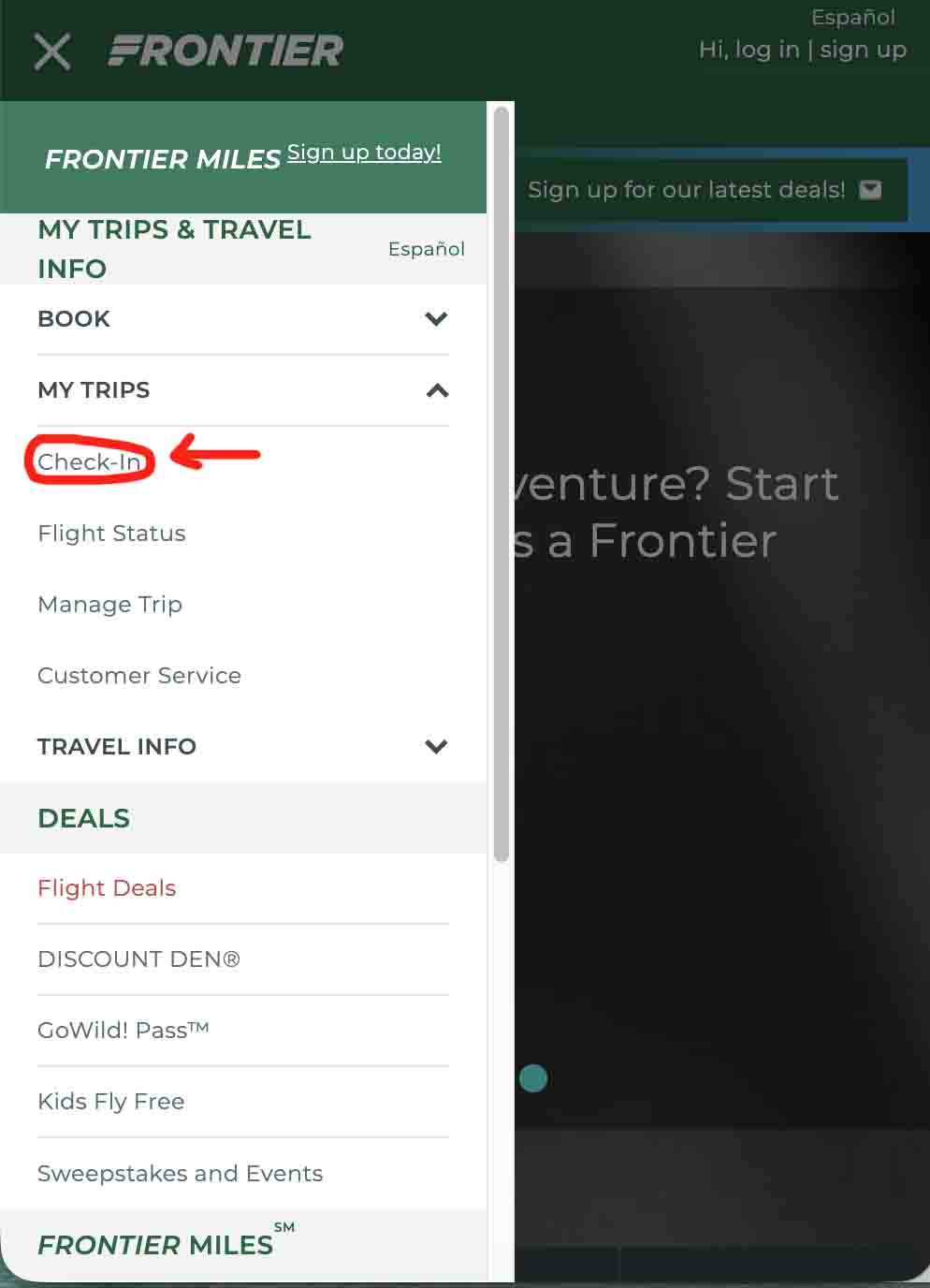
Once you’re on the site or inside the app, look for the “Check-In” option on the homepage, usually in the left corner in the app.
Enter your booking information
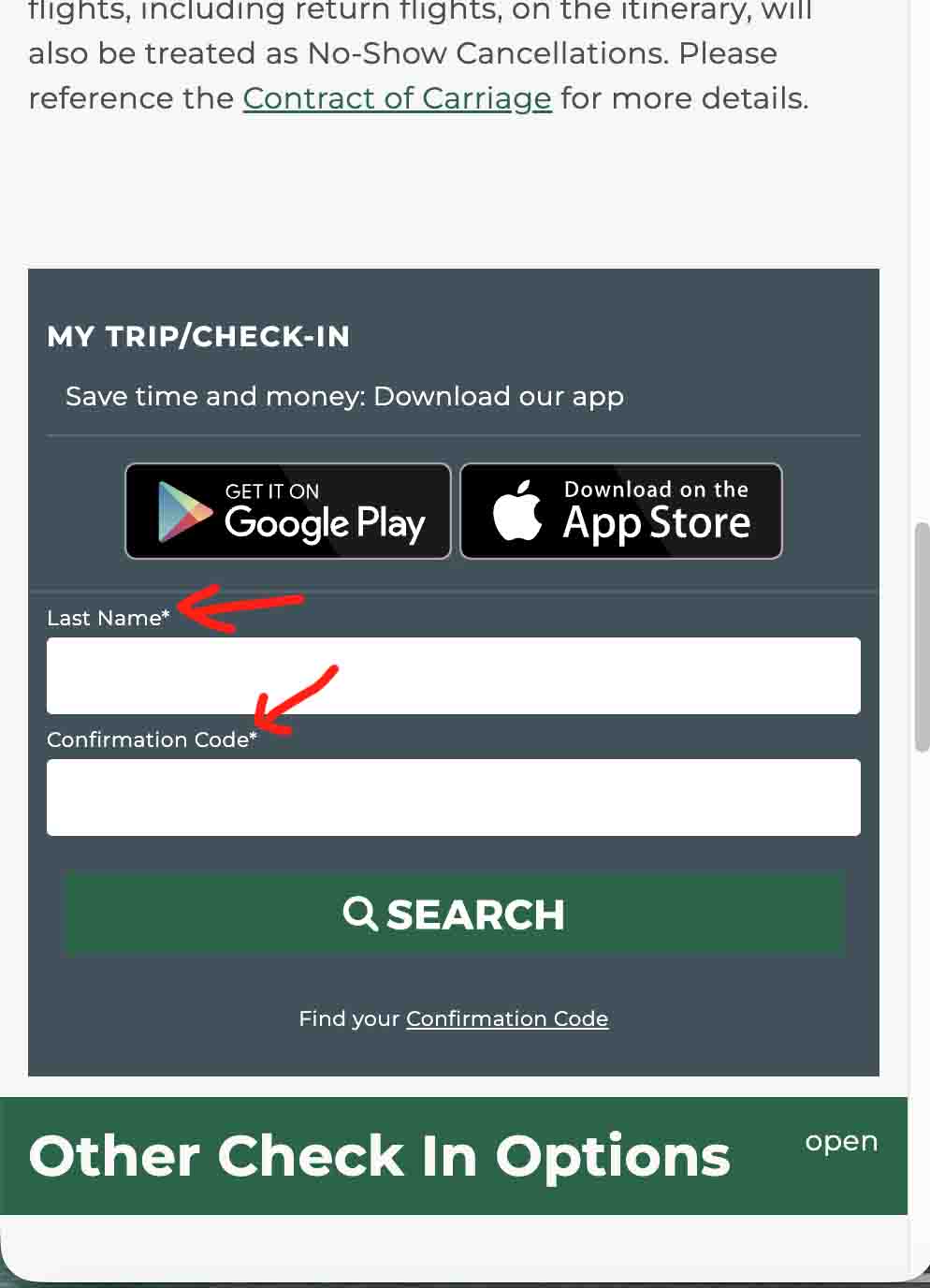
To access your reservation, enter your confirmation code (reservation number) along with your last name exactly as they appear on your booking.
After submitting the information, the system will display all your upcoming flight details.
Review and confirm your flight details
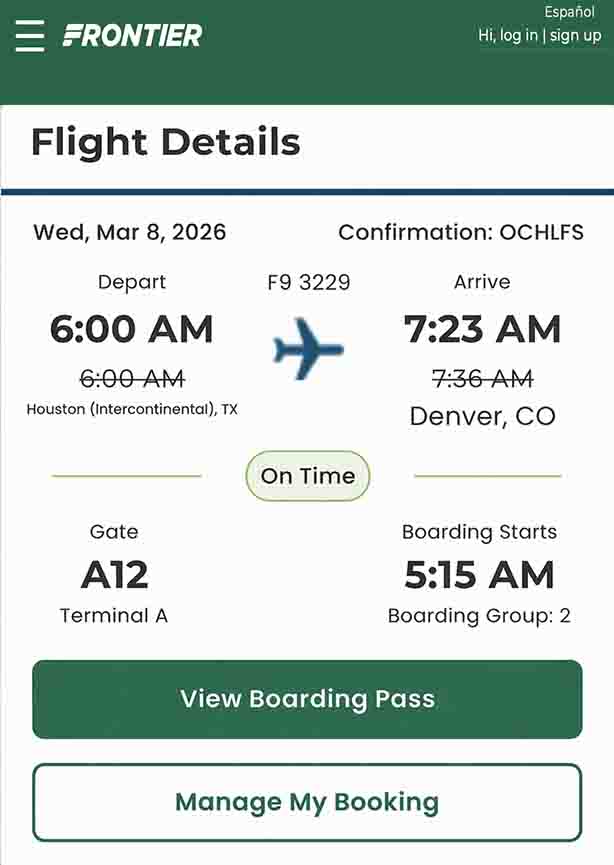
Make sure that you review the information in the screen, including your flight number, departure time, airport, and other details.
So everything is correct before continuing with the check-in process.
Choose your seat or upgrade
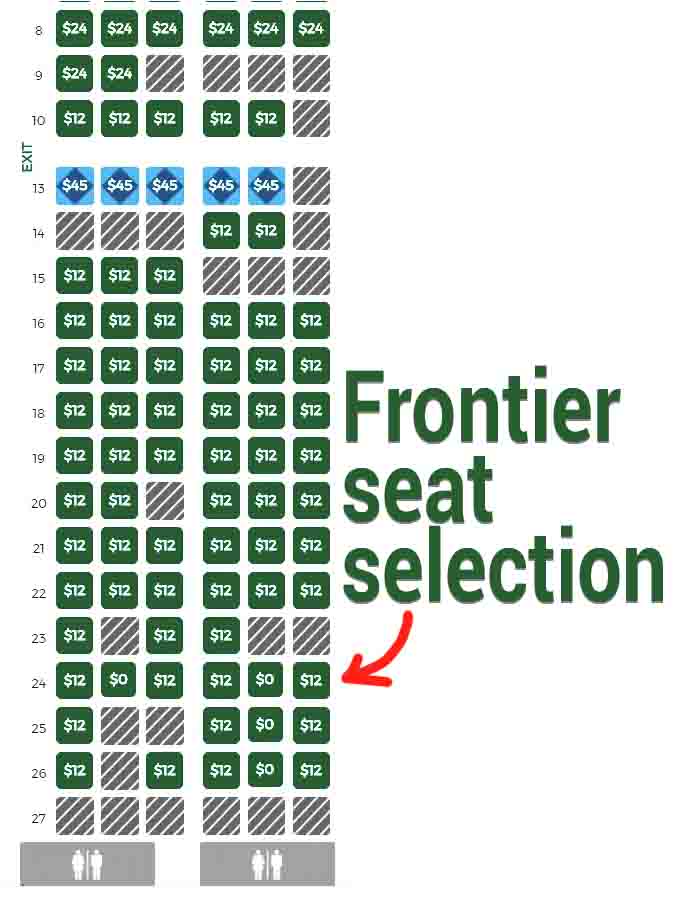
During check-in, you will have the option to select your preferred seat (I like window seats).
Frontier typically charges for most seat selections, but choosing your seat in advance allows you to sit with your travel companions or select seats with extra legroom if you want.
Add carry-on or checked bags
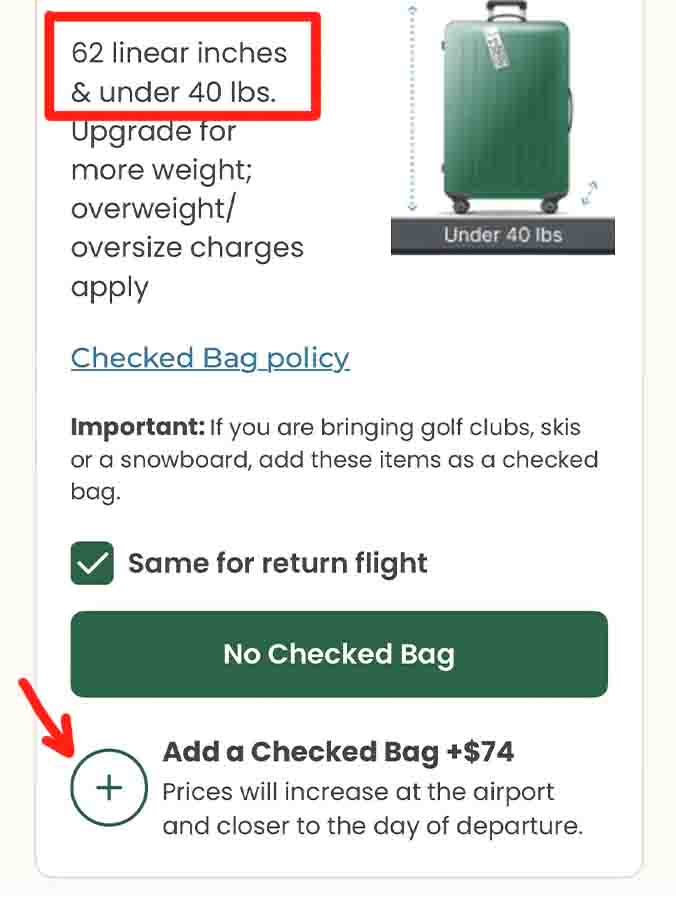
If you need to bring more bags, you can add checked bags or carry-on bags during online check-in.
Paying for baggage online is always cheaper than paying at the airport counter, so it’s a good idea to add any bags you need at this stage.
Save your boarding pass
Once you complete the check-in, you can now grab and download your boarding pass to your phone or print it out at home.
Most airports accept mobile boarding passes, so you can simply scan your phone at airport security and the boarding gate.
Always save a screenshot of your boarding pass or add it to your phone’s wallet app so you can access it easily even if your internet connection is slow at the airport.
How To Check in on Frontier Mobile App?
Just as I mentioned above in website check in, you can select seats, pay for bags, and print your boarding pass using Frontier Airlines mobile app.
How to Use the App
Go to App Store or Google Play and Download the Frontier Airlines app
Enter your confirmation code and details.
Choose your seat, pay for baggage, and save your digital boarding pass.
How To Check In For Frontier Airlines At The Airport?
If you prefer to wait until you get to the airport, then you can do so.
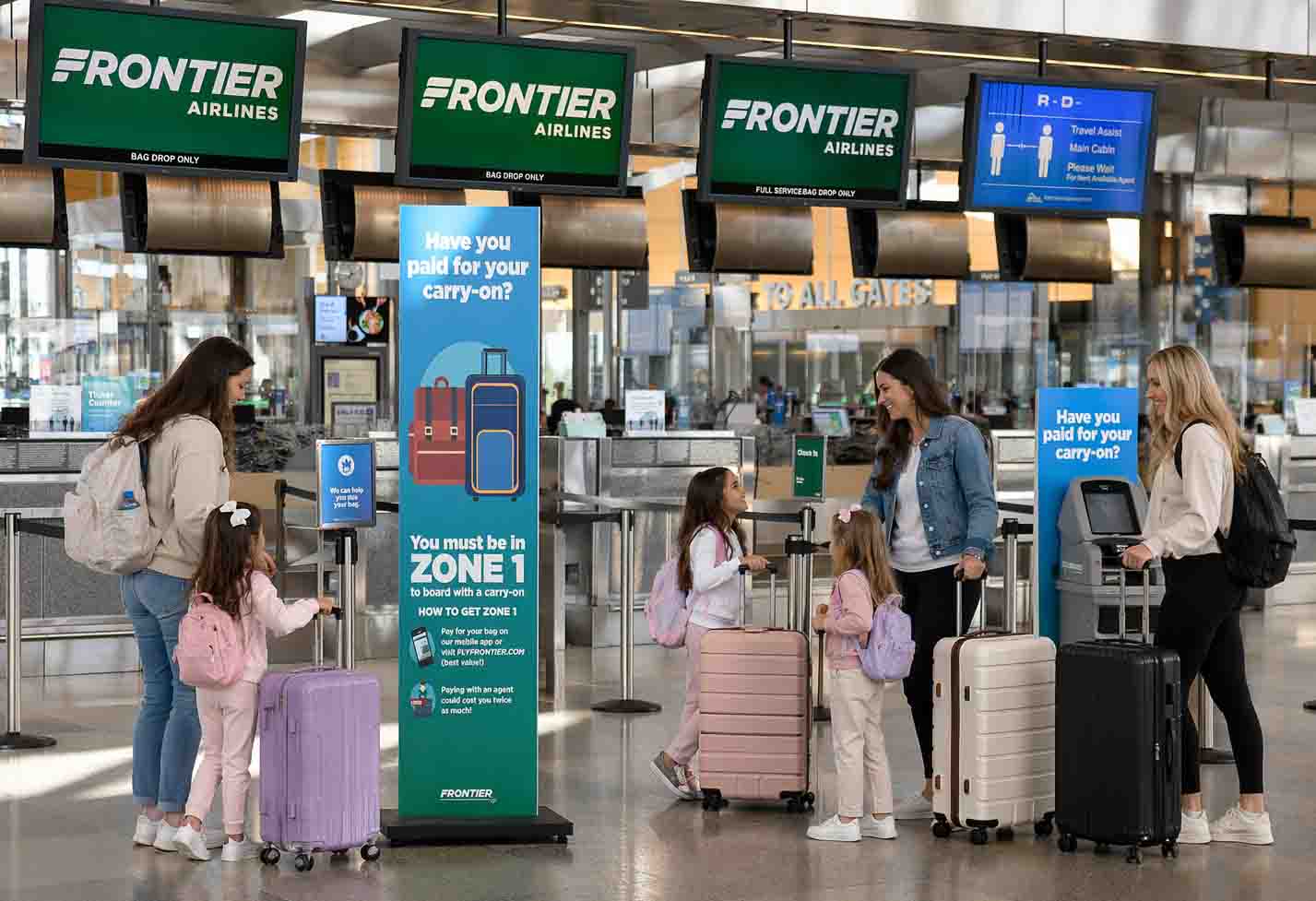
Frontier Airlines offers two main options at the airport: using a self service kiosk or show up in person and check in with an agent in the check-in counter.
Both options allow you to check in for your flight, get your boarding pass, and handle your baggage before heading to security.
Use the self-service check-in kiosks
Most airports served by Frontier have self-service kiosks located near the airline’s check-in area.
These machines allow passengers to check in quickly instead of waiting in a long line and to check in with an agent.
To get started, enter your confirmation code, passport (for international flights), or credit card used for the booking.
The kiosk will retrieve your reservation and guide you through the check-in process.
Check the kiosk opening times
Frontier’s airport kiosks usually open about 2 hours before domestic flights and around 3 hours before international departures.
It’s a good idea to arrive early so you have enough time to complete check-in, drop off your bags, and go through airport security.
Print your boarding pass and bag tags
After confirming your flight details, the kiosk will print your boarding pass.
If you have checked luggage, the machine can also print bag tags that you attach to your suitcase.
Drop off your checked bags
Once you tagged your bags, take them to the Frontier bag drop counter, where airline staff will weigh your bags and send them to the airplane hold.
After dropping off your bags, you can proceed to airport security and to the gate
What Are Some Common Check-In Problems and Solutions?
Lost the confirmation code: If you lost the confirmation code you can retrieve it on the Frontier website or mobile app using first and last name.
Mobile boarding pass not scanning: try re-downloading the boarding pass or printing it at an airport kiosk, if the issues still persist you can get help at the check in counter.
Payment issues for baggage or seat selection: pay online before the airport to avoid higher fees.
Late arrival to check-in: you can contact Frontier immediately. if you arrive late you may lose reserved seats or flights.
When You Can’t Check In Online On Frontier Airlines?
Sometimes, you can’t check in online for your Frontier flight, and that’s totally okay, Here are a few situations where you’ll need to head to the airport counter instead:
Traveling with pets: If you are traveling with your furry friend, you’ll need to wait until you check in at the airport to handle all the pet paperwork.
If you are an unaccompanied minor: Kids flying alone require extra verification, so online check-in won’t work.
International flights needing passport verification: Some countries need in-person passport checks before you can board.
Passengers with special assistance: If you need wheelchair support or other help, the airline needs to confirm details in person.
Oversized or special baggage: Extra-large items or items needing special handling can’t be added online.
Final Thoughts
Checking in to Frontier Airlines is simple if you know what options works for you.
Use online or mobile check-in for speed and convenience, or head to airport kiosks or counters if you prefer traditional methods or need help.
Always make sure that your information is correct and the boarding pass requirements, baggage fees, and deadlines to avoid any surprises.
I hope this helps
Happy travels
FAQs About Frontier Airlines Check-In
Can I check in online for Frontier Airlines?
Yes, You can always check-in online via the website or mobile app, and it is available 24 hours before departure on the website or app.
How early can I check in at the airport?
Check-in counters and kiosks open 2 hours before domestic flights and 3 hours for international flights.
Do I need a printed boarding pass?
No, a mobile boarding pass is accepted at most airports. You can only print the boarding pas if you want but I recommend doing so.
Can I check in using the Frontier mobile app?
Yes, the app allows full check-in, baggage payment, and digital boarding passes.
What if I’m traveling with a pet?
If you are traveling with a pet, then you need to do pet check-in at the airport counter, and you may need to pay some charges.
Can I change my seat during check-in?
Yes, you can change your seat when check in online, mobile, or at the kiosk, depending on availability.
Gargie, is writer, traveler & a digital marketing specialist
passionate about traveling and exploring new cultures. She is a savvy traveler who likes to pack light, testing various luggage brands and seeking out budget-friendly airline options. Gargie enjoys creating unique recipes when she’s not on the go.