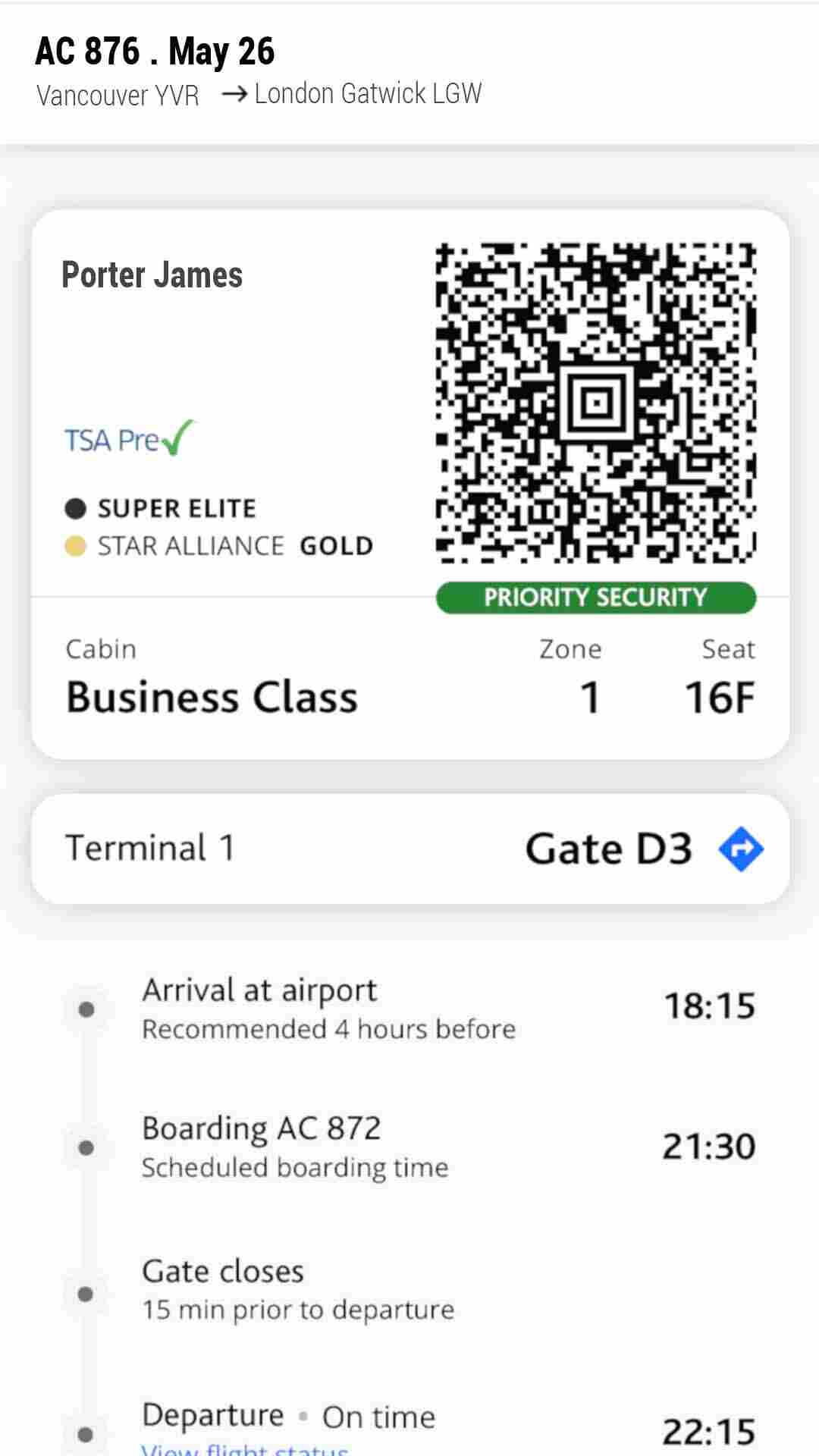
Flight check in for Air Canada is simple and easy once you know when check-in opens and which option to go with.
So whether you want to check in online via the website, use the Air Canada mobile app, or check in at the airport counter or the self serve kiosk, in this detailed guide I’m going to show you how to check in for your Air Canada flight step by step and how to get your Air Canada boarding pass in minutes.
You’ll also find answers to some common questions about Air Canada check-in like why sometime it won’t work, airport arrival times, and what to do if online check-in isn’t available.
Let’s find out how Air Canada check-in works.
TL;DR
You can check in 24 hours before your Air Canada flight online, via the mobile app, at a self-service kiosk, or at the ticket counter.
Online or mobile check-in is fastest way to get your boarding pass, you can keep it in the app or you can download / print a backup.
Enter your booking reference, Aeroplan number, or ticket number, confirm your details, choose your seat, and pay for any bags or upgrades if needed.
Always arrive early: 2 hours for domestic / U.S. flights, 3 hours for international flights.
Always be at the gate on time, 15 minutes for domestic, 45 minutes for international flights.
If online check-in isn’t available, you can check in at the airport kiosk or ticket counter at the airport.
Air Canada gives several check in for your flight.
You can choose to check in online via the Air Canada website, or via the Air Canada mobile app, which usually takes less than 10 minutes.
You can also choose the self-service kiosks at the airport, or in person at the ticket counter check-in with an agent.
Checking in online or via the app is the option that will save you the time and will help you avoid long airport lines.
Online and mobile check-in follow almost the same steps, but the mobile app automatically saves your boarding pass, making it the easiest option.
If you don’t want to bother yourself with online check in, need help, or you are traveling with pets, you can always wait and check in at the airport with the agent, but in this case you will need to show up early to the airport.
How Early Can You Check In for an Air Canada Flight?
According to Air Canada, online and mobile check-in opens 24 hours before your flight departure, this means you have enough time.
And the check-in time closes:
1 hour before take off for most domestic and U.S. flights
2 hours before take off for international flights
How to Check In for Air Canada (Website, App & Airport)
What You Will Need to Check In?
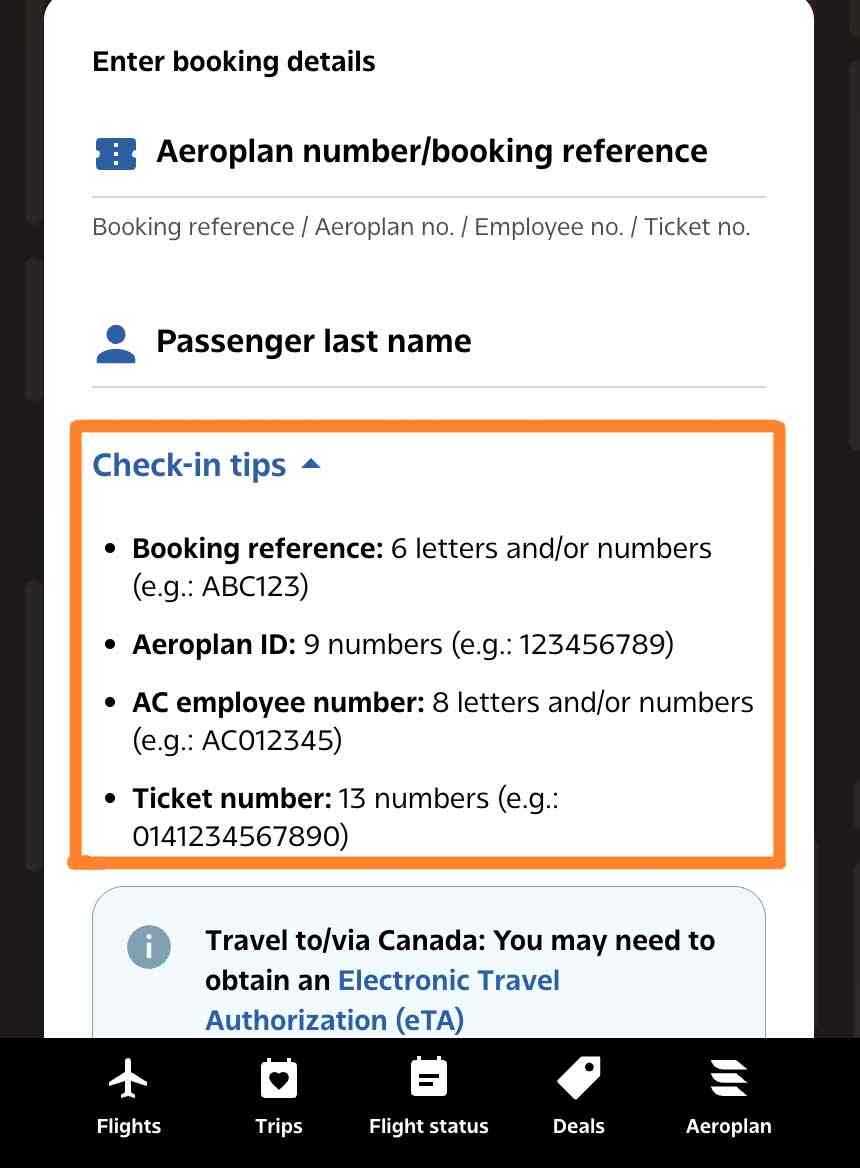
Before you start the check in process for your Air Canada flight, make sure you have one of these numbers:
Your booking reference: it is usually a 6 alphanumeric characters ( it looks something like Y2D23H)
Your 9-digit Aeroplan number (it looks something like 342786598)
Your 13-digit ticket number, starting with 014 (it looks something like 014 97765498765)
If you are traveling to U.S you will also need to provide an address, where you will be staying during your vacation, or time of residency, if you are a NEXUS member you’ll be able to quickly and easily pass through U.S. security and customs.
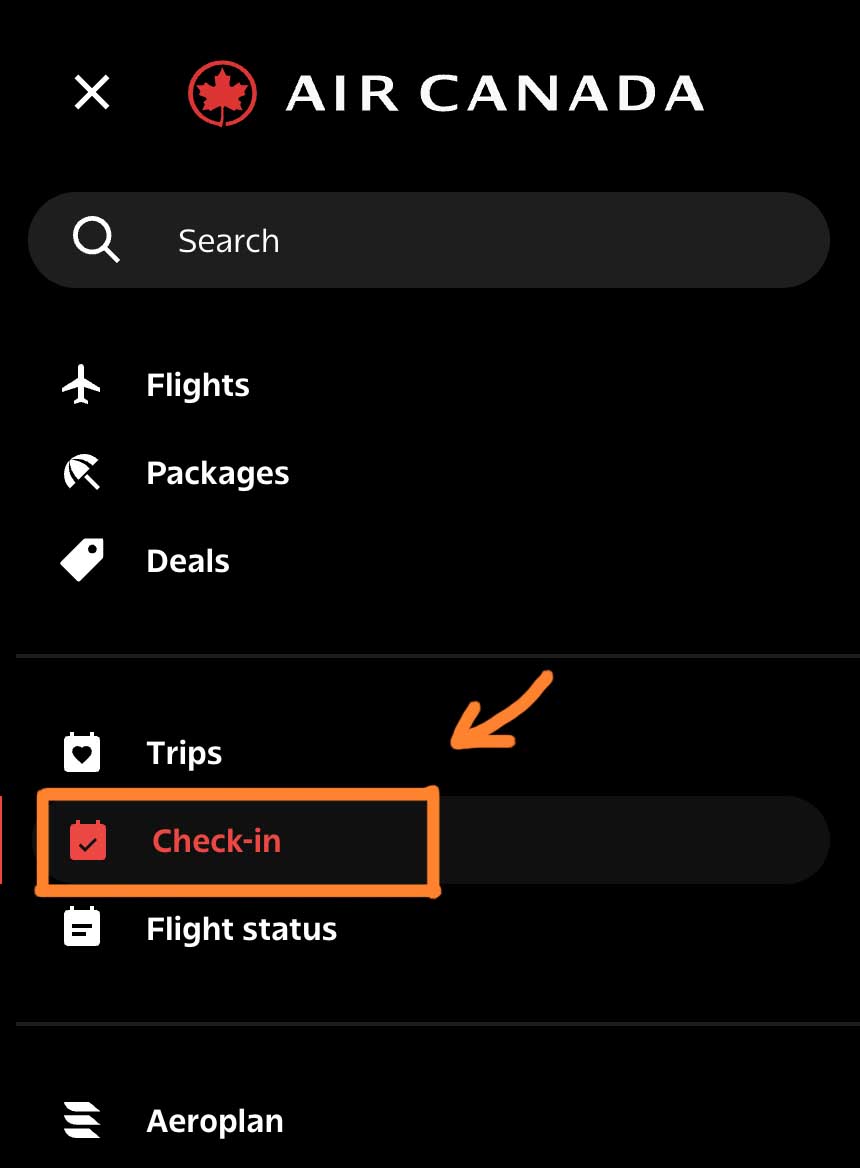
You can also find check-in under the “Trips” section in the main navigation.
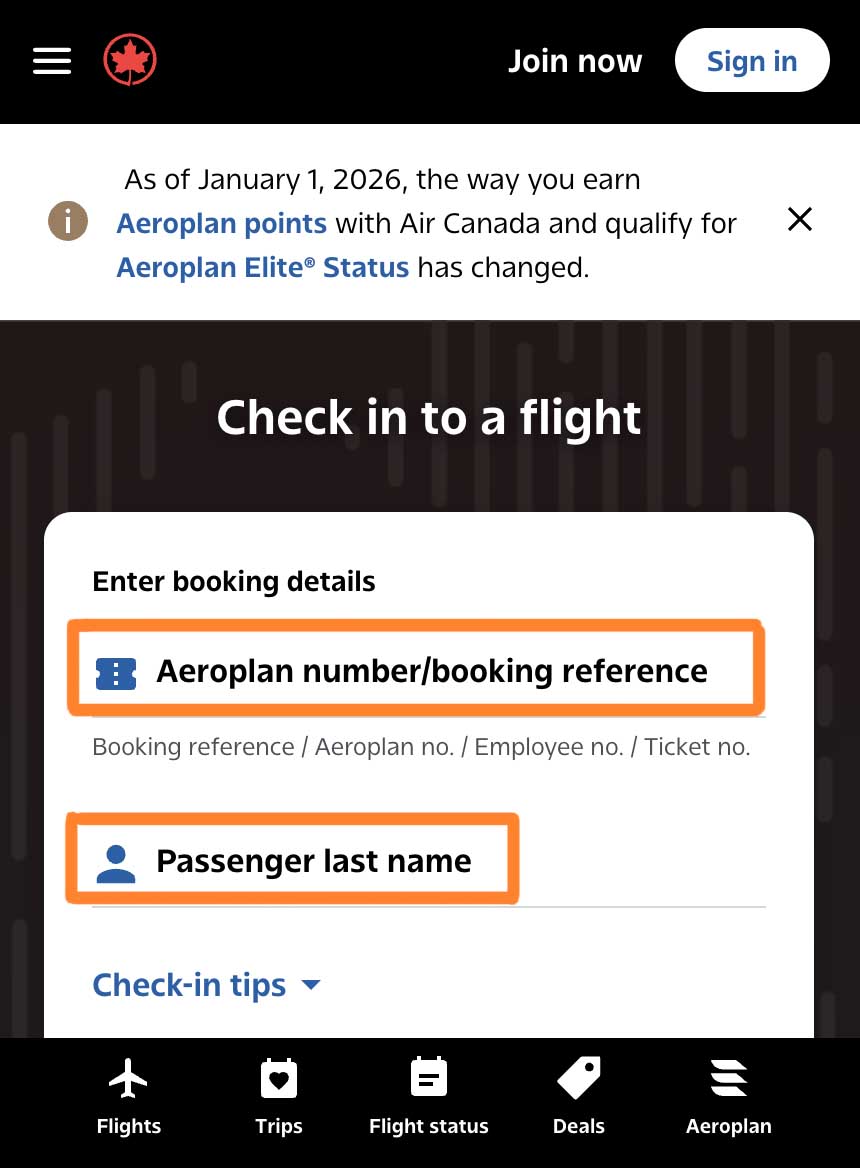
After clicking check-in, you’ll be transferred to the “Check in to a flight” page.
This is where you will need to enter your booking details.
You already booked your flight, so fill in the fields:
Your aeroplan number / or Booking reference / or Ticket number
Your last name exactly as it appears on your booking / or the name of the person in the ticket
Before your click check in and move to the next page, make sure that you give a quick review to the information you entered, or you will get this message “We are unable to locate your booking”.
After you double check then click check in.
You might get a notice for:
Document requirements
Transit rules
Electronic Travel Authorization (eTA) reminders for travel via Canada
Always read these messages before continuing.
You’ll be transferred through another page where you can:
Upload required health or travel documents, when applicable
Easy peasy check-in easy.
Now you have the options to:
Download your boarding pass.
Save it to your phone or mobile wallet
Print a paper copy
If you’re using the mobile app, your boarding pass will automatically be saved there, and you can access to it whenever you want and print it.
Even if you plan to use a mobile boarding pass, it’s smart to take a screenshot or print a backup, especially for international flights.
Airport Check-In for Air Canada
If you prefer to check in at the airport, or the online check won’t work for you, then you can do it at the self-service kiosks, or in the ticket counter check-in with an agent.
Some time you will need to check in at the airport if:
Online check-in is unavailable
You need document or visa verification
You’re traveling with a pet
Final Thoughts
Check-in for your Air Canada flight starts at 24 hours before departure and is easy when you do it online or through the Air Canada mobile app.
Remember that if the online check-in doesn’t work, you can always contact the airlines, or you can check in at the self-service airport kiosk, or in person at the ticket counter check-in.
I hope this helps
Happy travels
Air Canada Check-In FAQ
When can you check in for Air Canada? You can always check for Air Canada starting 24 hours before departure and up to 1 hour before domestic/U.S. flights or 2 hours before international flights.
Can you check in for Air Canada at the ticket counter? Yes. You can check in at the airport ticket counter and receive a printed boarding pass, as long as you arrive before the check-in ends, so make sure that you arrive always early to the airport.
Is it better to check in online or at the airport for Air Canada? If you check in on the website or via the mobile app, you will save time at the counter and let you get your boarding pass, pay for bag or request an upgrade, the airport check-in is best if you need any help or document verification.
Do you need to print your boarding pass for Air Canada? No. you can keep your boarding pass in your phone, (but make sure that your phone is fully charge ), Printing one as backup is always a good idea.
When should you be at the gate for Air Canada? You should be at the gate at least 15 minutes before departure for domestic flights 45 minutes before for international flights.
What does “We are unable to locate your booking” mean? It usually means that the information you enter doesn’t match the booking exactly. Make sure that you enter your last name, booking reference, or ticket number correctly.
Can I check in online if I booked through a travel agency? Yes, most of the time. However, some bookings still require airport check-in for verification.
If I check in online, can I arrive at the airport later? No. when you check in online, you save time at the counter, but airport arrival times and boarding deadlines stay the same. as you will need to drop your bags and clear the security.
Gargie, is writer, traveler & a digital marketing specialist
passionate about traveling and exploring new cultures. She is a savvy traveler who likes to pack light, testing various luggage brands and seeking out budget-friendly airline options. Gargie enjoys creating unique recipes when she’s not on the go.